
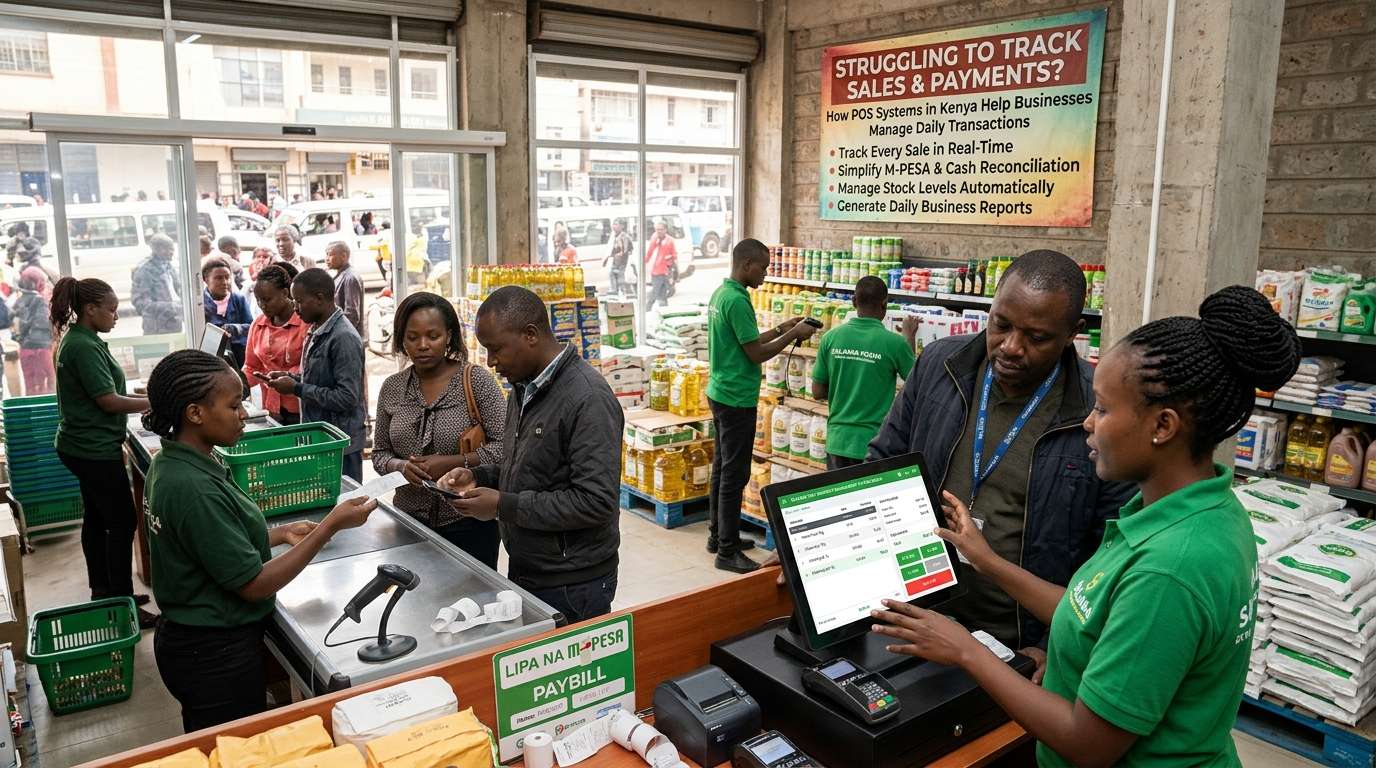
Struggling to Track Sales and Payments? How POS Systems in Kenya Help Businesses Manage Daily Transactions
Main Keyword: POS systems in Kenya
Meta Title: POS Systems in Kenya | Point of Sale Software
Meta Description: Discover how POS systems in Kenya help shops, restaurants, pharmacies and other businesses manage sales, payments, inventory and daily transactions.
Meta Keywords: POS systems in Kenya, POS software Kenya, point of sale system Kenya, retail POS system, restaurant POS system, business POS software
URL Slug: pos-systems-kenya-businesses
Introduction
Businesses handle sales and payments every day. Whether you operate a retail shop, supermarket, restaurant, pharmacy, hotel, hardware store or wholesale business, you need an organised way to record transactions and manage daily sales.
When sales are recorded manually, businesses may experience calculation errors, missing transaction records, stock discrepancies and difficulties preparing sales reports.
Reliable POS systems in Kenya can help businesses manage transactions, record payments, track products and monitor sales performance.
A modern point of sale system can do more than print receipts. It can connect sales with inventory, customer records, reporting and other business operations.
What Are POS Systems in Kenya?
POS systems, also known as point of sale systems, are software solutions used to process sales transactions and record payments.
A POS system typically allows employees to select products or services, calculate the total amount, receive payment and generate a receipt.
Depending on the business requirements, a POS system may include:
-
Product and service management.
-
Sales transaction processing.
-
Receipt generation.
-
Cash and payment records.
-
Inventory tracking.
-
Customer information.
-
Discounts and promotions.
-
Sales reporting.
-
User accounts and permissions.
Businesses can use a POS system as a standalone sales application or integrate it with inventory, accounting and other business systems.
POS Software Kenya Businesses Can Use to Manage Sales
Using suitable POS software Kenya businesses can organise their sales transactions and reduce the need for manual calculations.
1. Faster Sales Processing
A POS system allows employees to select products, enter quantities and calculate the total amount automatically.
This can make the checkout process more efficient, especially for businesses handling many transactions.
2. Accurate Transaction Records
Every completed transaction can be recorded with details such as products sold, quantities, prices, discounts and payment information.
These records help businesses review sales and investigate discrepancies.
3. Receipt Generation
A POS system can generate receipts for customers after a transaction.
Depending on the system, receipts may be printed or provided digitally.
4. Multiple Payment Methods
Businesses may need to accept different payment methods, such as cash, mobile money, card payments or other supported options.
A POS system can record the payment method used for each transaction. Payment integrations depend on the selected provider and system configuration.
5. Sales Reports
POS software can generate reports showing sales totals, transaction history, product performance and other useful business information.
This helps owners and managers understand daily sales activity.
Retail POS System for Shops and Supermarkets
Retail businesses need to manage products, prices, stock and customer transactions.
A retail POS system can help shops and supermarkets process sales while maintaining updated stock records.
Retail POS features may include:
-
Product registration.
-
Barcode scanning.
-
Product pricing.
-
Sales and receipt processing.
-
Stock deduction after sales.
-
Returns and refunds.
-
Discount management.
-
Cashier accounts.
-
Sales reports.
For businesses with multiple branches, a POS system can also help monitor sales and stock across different locations when the appropriate multi-branch features are included.
Restaurant POS System for Hotels and Food Businesses
Restaurants, cafés, food outlets and hotels have different sales requirements from ordinary retail shops.
A restaurant POS system can help manage orders, tables, kitchen operations and payments.
Depending on the restaurant's requirements, features may include:
Table and Order Management
Record customer orders and assign them to tables or service areas.
Kitchen Order Management
Send orders to kitchen staff through printed kitchen tickets or supported kitchen display systems.
Menu Management
Manage menu items, prices, categories and available options.
Billing and Payments
Prepare customer bills, record payments and manage split bills where supported.
Restaurant Reports
Review sales by menu item, transaction, cashier or business period.
A restaurant POS can help improve coordination between waiters, kitchen staff and cashiers.
POS Systems for Pharmacies and Healthcare Businesses
Pharmacies and healthcare-related businesses need to manage product sales while maintaining accurate stock records.
A POS system designed for pharmacy operations may include:
-
Medicine and product registration.
-
Batch and expiry date tracking.
-
Barcode scanning.
-
Sales processing.
-
Stock deduction.
-
Supplier records.
-
Low-stock alerts.
-
Sales and inventory reports.
Businesses should ensure that the system supports the specific product tracking and operational requirements relevant to their pharmacy.
POS Systems for Hotels and Accommodation Businesses
Hotels may use POS software to manage sales from restaurants, bars, gift shops and other service areas.
A hotel POS system can record transactions and, where supported, connect charges to guest accounts or hotel management software.
This can help accommodation businesses organise sales from different departments and prepare consolidated reports.
POS Systems for Wholesale and Distribution Businesses
Wholesalers and distributors often process transactions involving large quantities, different customer prices and repeat business accounts.
A suitable POS system can support:
-
Wholesale and retail pricing.
-
Bulk quantity sales.
-
Customer account records.
-
Discounts and price rules.
-
Stock availability.
-
Sales orders.
-
Invoice and receipt records.
-
Sales reporting.
Businesses with complex distribution processes may benefit from integrating POS software with inventory and procurement systems.
How POS Systems Connect With Inventory Management
One of the most useful features of a POS system is its ability to connect sales with inventory.
When a product is sold, the system can automatically reduce the available stock quantity.
This helps businesses maintain more accurate stock records and understand which products need replenishment.
An integrated system can support:
-
Stock deduction after sales.
-
Product availability checks.
-
Low-stock notifications.
-
Stock movement records.
-
Returns and stock adjustments.
-
Branch-to-branch stock visibility.
-
Inventory reports.
Businesses that need more advanced stock control can combine POS with inventory and business systems.
What to Consider When Choosing POS Systems in Kenya
Before choosing a POS system, consider the needs of your business.
Business Type
A retail shop, restaurant, pharmacy and hotel may require different POS features. Choose software designed around your sales process.
Payment Requirements
Identify the payment methods your customers use and confirm whether the POS supports the required integrations.
Inventory Management
If your business sells physical products, consider whether the POS can track stock and connect with your inventory system.
Number of Branches
Businesses with several outlets may need centralised reporting, branch-level stock management and user permissions.
Reporting
Choose a system that provides useful sales reports, transaction history and product performance information.
Ease of Use
Cashiers and employees should be able to process transactions quickly with minimal training.
Security and User Permissions
The system should allow businesses to control access to sales records, discounts, refunds and other important functions.
Why Choose Windand Developers for Custom POS Systems?
Every business has different sales processes. A supermarket may need barcode scanning and multi-branch stock management, while a restaurant may require table orders and kitchen workflows.
Windand Developers provides custom software development services for businesses looking to improve their operations through digital solutions.
A custom POS system can be planned around your business requirements and may include:
-
Product and service management.
-
Sales transaction processing.
-
Receipt generation.
-
Payment records.
-
Inventory integration.
-
Customer management.
-
Discounts and pricing rules.
-
Branch management.
-
Sales reports.
-
User roles and permissions.
For businesses that need more than standard checkout features, a custom POS solution can connect sales with other operational systems.
Explore business systems and POS/ERP solutions or learn more about custom software development.
Frequently Asked Questions
1. What are POS systems in Kenya?
POS systems in Kenya are software solutions used by businesses to process sales, record payments, generate receipts and monitor transactions. Many POS systems also support inventory management and sales reporting.
2. Which businesses can use POS software?
POS software can be used by retail shops, supermarkets, restaurants, pharmacies, hotels, wholesalers, salons, hardware stores and many other businesses that process sales or payments.
3. Can a POS system manage inventory?
Yes. A POS system with inventory features can deduct stock after sales, record product movements and provide stock reports. More advanced inventory requirements may need integration with a dedicated inventory system.
4. Can POS systems support M-Pesa payments?
A POS system can support M-Pesa payment recording or integration depending on its configuration and the payment provider used. Businesses should confirm the available payment features before selecting a system.
5. Can Windand Developers build a custom POS system?
Windand Developers offers custom software development for businesses with specific operational requirements. Businesses can discuss their sales processes, payment methods, inventory needs and reporting requirements to plan a suitable POS system.
Conclusion
POS systems help businesses manage daily sales, record payments and maintain organised transaction records.
For shops, restaurants, pharmacies, hotels and other organisations, the right point of sale software can improve checkout efficiency, support inventory control and provide useful sales information.
A suitable POS system should reflect your business type, payment requirements, stock processes and future growth.
Get a POS System Designed for Your Business
Are you looking for POS software for a retail shop, restaurant, pharmacy, hotel or wholesale business?
Windand Developers can help you plan a custom point of sale system based on your business operations and requirements.
Contact Windand Developers to discuss your POS project.
Request a quotation for your business POS system.